SlideShare Downloader — Download PPT, PDF & Presentations Online
The fastest free SlideShare downloader on the web. Paste any SlideShare link and save the presentation as PPT, PPTX or PDF in seconds — right from your browser.
- Download SlideShare presentations instantly
- No registration required
- Mobile friendly and works on every device
- Free online tool, no install needed
SlideShare Downloader
Paste a SlideShare URL below and click Download. Works on desktop and mobile, no account required.
What is a SlideShare Downloader?
A SlideShare downloader is a free online tool that lets you save SlideShare presentations directly to your device without creating an account, installing software, or watching ads roll between every slide. SlideShare hosts millions of slide decks covering business strategy, marketing, education, training, design, and research — but the platform only lets logged-in users download a fraction of them, and even then the experience can be slow, ad-heavy, and restricted to certain file types.
Our free SlideShare downloader removes that friction entirely. Paste a SlideShare URL into the box above, click Download, and the tool fetches the deck on your behalf and hands you a clean PDF or PPT file you can keep, share with colleagues, embed in your own deck, or read offline. The whole flow takes a few seconds and runs in your browser — no signups, no email lists, no surprise paywalls.
People use a SlideShare presentation downloader for all sorts of reasons. Marketers archive competitive decks for inspiration. Students bookmark course material for offline study. Trainers build a personal library of teaching slides. Designers collect typography and layout examples. Whatever your reason, you should be able to save a SlideShare PDF in one click — and that is exactly what this tool does.
Why download SlideShare presentations?
Decks on SlideShare disappear all the time. Authors delete their accounts, companies rebrand, presentations get marked private after a campaign ends. If a deck matters to you, downloading it is the only way to make sure you can still open it next year. A local copy is also faster to search through, easier to annotate, and far more useful on a plane or in a meeting room with patchy Wi-Fi.
For knowledge workers, a downloaded PDF is also the only reliable way to extract slide content for citation, translation, or repurposing. Many of the best research slides on the internet live on SlideShare; being able to pull them down quickly is a real productivity unlock.
How our tool compares to other SlideShare PDF downloaders
Most other SlideShare PDF downloaders are wrapped in pop-ups, force a sign-up after the second download, or are bundled with shady browser extensions. We keep things deliberately simple: a single input, a single button, and a clean PDF. We do not log the URLs you paste, we do not require an account, and we never gate downloads behind a premium plan. The tool stays free because we keep it lean.
Download a SlideShare presentation in 4 steps
From URL to PDF in under a minute.
Copy the URL
Open the SlideShare presentation you want and copy the link from your browser's address bar.
Paste the URL
Paste it into the input box at the top of this page.
Click Download
Press the Download button. The tool fetches the deck and prepares your file.
Save PDF or PPT
Your browser downloads the presentation. Open, share, or edit it as you need.
Why people choose this SlideShare downloader
All the things a great free tool should do, none of the things it shouldn't.
Unlimited Downloads
No daily caps, no monthly quotas. Download as many SlideShare decks as you like.
Fast Processing
Optimized fetch pipeline gets you from URL to file in seconds, not minutes.
Secure
No tracking, no stored URLs, no risky third-party redirects in the download flow.
Mobile Friendly
Works on iPhone, Android, iPad and any modern browser without an app.
No Registration
No email, no password, no captcha — just paste your link and download.
Free Forever
Genuinely free. No trial, no premium tier, no hidden upsells.
Save in the format that works for you
Pick the file type that fits your workflow.
Why use our SlideShare downloader
See how we stack up against typical free downloaders.
| Feature | Our Tool | Others |
|---|---|---|
| Free | Yes | Limited |
| Registration | No | Yes |
| Mobile support | Yes | Partial |
| Fast download | Yes | Slow |
| PDF export | Yes | Watermarked |
| AI PDF generation | Built-in | Not available |
Generate a PDF with AI
Describe what you need — a study summary, a slide outline, a one-page brief — and our AI tool turns it into a clean PDF. Bring your own OpenAI or Gemini key; it stays in your browser.
Your API key is stored only in your browser via localStorage and sent only to the provider you choose. We never see it.
The benefits of SlideShare and why offline access matters
SlideShare started as a simple way to upload PowerPoint files to the web and has grown into one of the largest libraries of professional knowledge online. With hundreds of millions of slides covering every imaginable topic, it is a goldmine for anyone trying to learn, teach, sell, or build. The reason a SlideShare presentation downloader matters is that the value of those slides goes up dramatically the moment you can keep them.
Learning
Self-directed learners use SlideShare the way an earlier generation used libraries. A search for almost any technical, business, or creative topic returns dozens of carefully designed decks from experts who have already done the synthesis for you. The problem is that an online deck only helps when you have Wi-Fi, an open browser tab, and time to click through slowly. A downloaded copy is something you can study on a commute, annotate by hand, or hand to a study group. Saving a deck as PDF turns SlideShare into a real research tool instead of a casual scroll.
Education
Teachers and lecturers rely on SlideShare both to publish their own teaching material and to find supplementary slides for their classes. Schools with intermittent connectivity in particular benefit from an offline copy: once a deck is on the laptop, it works the same in every classroom. Students can use the same flow to pull down course material and revisit it without re-watching a recorded lecture.
Business
In a business context, SlideShare is one of the easiest places to study how competitors talk about themselves. Pitch decks, product launches, investor updates and conference talks all end up on the platform. Downloading them gives your team a shared library to reference, compare, and pull design cues from. It also protects you from the surprisingly common case where a competitor takes down the deck a week after it goes viral.
Marketing
Marketers use SlideShare for both inbound and outbound research. Downloaded competitor decks are easier to annotate and to share with stakeholders who do not want to navigate yet another web app. For content teams, having an organised local library makes it far easier to spot patterns — headline structures, slide pacing, recurring visual metaphors — that you can then apply to your own work.
Training
Corporate trainers often combine SlideShare decks with their own material. Having a clean PDF means you can drop slides into your internal LMS, print handouts for in-person workshops, or stitch several decks together into a single reference document. Without a downloader you are stuck either screenshotting individual slides or asking learners to leave your training environment to view the source.
Why this matters now
The web has gotten worse at remembering things. Pages move, get paywalled, or quietly disappear. A free SlideShare downloader is a small but real form of personal archiving: the knowledge you found useful today is still useful tomorrow because you actually have a copy of it. That is the underlying reason this tool exists.
Other downloader tools we offer
Pick the right tool for the platform you need.
SlideShare Downloader →
The original tool. Download any public SlideShare deck as PDF or PPT.
Scribd Downloader →
Save Scribd documents and books to your device without a subscription.
Studocu Downloader →
Download Studocu lecture notes and study material as PDF.
Academia.edu Downloader →
Pull research papers from Academia.edu without an account.
Issuu Downloader →
Save Issuu magazines and brochures as offline-friendly PDFs.
Best free presentation sites →
Our full guide to the best free presentation download sites in 2026.
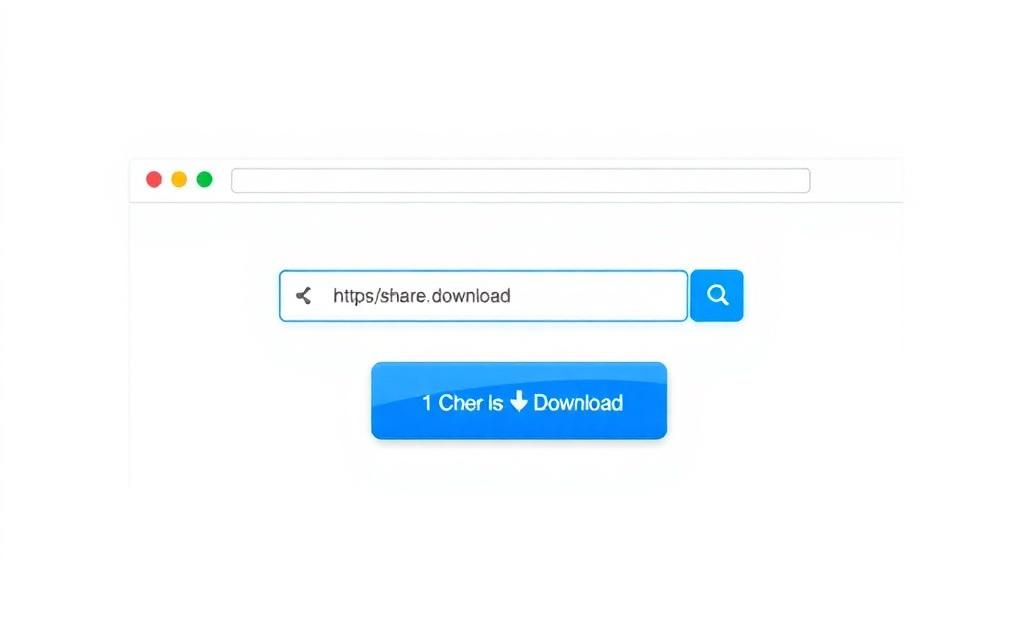
What the tool looks like
A clean interface that does one thing well.
Frequently Asked Questions
Quick answers about downloading SlideShare presentations.
Is the SlideShare Downloader really free?
Yes. The tool is completely free with no hidden fees, no premium tiers, and no daily download limits.
Do I need to register or sign up?
No. There is no account, no email collection, and no captcha. Paste a URL and download.
Can I download SlideShare presentations as PDF?
Yes. You can save SlideShare presentations as PDF in one click. PPT and PPTX are also supported when available.
Does it work on mobile?
Yes. The interface is fully responsive and works on iPhone, Android, and tablets without an app.
Is it safe to use?
Yes. We do not store the URLs you paste, do not place tracking ads on the download flow, and the AI PDF tool runs entirely in your browser.
Can I download a SlideShare presentation without an account?
Yes — that is the whole point of the tool. SlideShare normally asks visitors to log in to download; our tool removes that step.
Are there any download limits?
There are no hard limits for normal usage. We may rate-limit abusive automated traffic to keep the tool fast for everyone.
Does the AI PDF generator need my API key?
Yes. You bring your own OpenAI or Gemini key so generation costs go directly to your account and your data stays private.
Where is my API key stored?
Only in your browser's localStorage. It is never sent to our servers. You can clear it any time with the Clear saved key button.
What formats can I download?
PDF, PPT, and PPTX are supported where the source file allows it. Some private or restricted presentations may not be available.
Does this tool also work for Scribd or Studocu?
Yes — we offer dedicated downloader pages for Scribd, Studocu, Academia.edu and Issuu, linked from the navigation.
Can I download slides from a private SlideShare deck?
No. Private or unlisted decks are intentionally hidden by the author. The tool only works on publicly accessible presentations.
Will the downloaded file include the original formatting?
Where the source provider exposes the original file, formatting is preserved. PDF exports preserve layout reliably.
Is there a desktop app or browser extension?
Not yet. The web tool covers every use case and works on every device. A lightweight extension is on our roadmap.
How can I report a presentation that should not be downloadable?
Use the contact page to send us the URL. We will remove access for that specific URL within 24 hours.
From the blog
Tutorials, comparisons and tips on getting more out of SlideShare and its alternatives.
How to download SlideShare PPT files
The step-by-step guide to saving any SlideShare deck as an editable PPT.
SlideShare to PDF
Why PDF is the most portable format for SlideShare decks — and how to get there.
SlideShare vs Scribd
Which platform is better for finding, reading, and downloading professional content?
What people say
Reviews from real users who saved hours with our tools.
"Finally a SlideShare downloader that actually works on mobile. Saved a 90-slide deck on the train in less than a minute."
"The AI PDF generator is a nice surprise. I use it to turn meeting notes into one-page briefs my boss actually reads."
"No ads, no email signup, no nonsense. This is the tool every free downloader wishes it was."
"I'm a lecturer in a low-bandwidth area. Being able to download decks once and reuse them offline is genuinely life-changing."
"I switched from a paid tool. This one is faster, free, and the PDFs are cleaner. No regrets."
Download SlideShare presentations now
It's free, fast, and works on any device. Paste your SlideShare URL and grab the file in seconds.
Start Downloading